
Tmux Cheat Sheet
A very basic guide to tmux

All command prefixed with Ctrl+b. Prefix can be changed but it is good enough for me.
Sessions
| Command | Description |
|---|---|
tmux, tmux new, tmux new-session |
Starts a new session |
tmux new -s session_name |
Starts a new session with name session_name |
tmux kill-session -t session_name |
Kill session |
tmux ls |
List all sessions |
tmux a [-t session_name] |
Attach to the last session/to the session_name session |
Command prefixed with… prefix :)
| Command | Description |
|---|---|
| $ | Rename session |
| d | Detach session |
| ( | Move to previous session |
| ) | Move to next session |
Windows
| Command | Description |
|---|---|
| c | Creates new window |
| p | Previous window |
| n | Next window |
| w | List windows |
| , | Rename window |
| & | Close window |
| 0-9 | Select window by number |
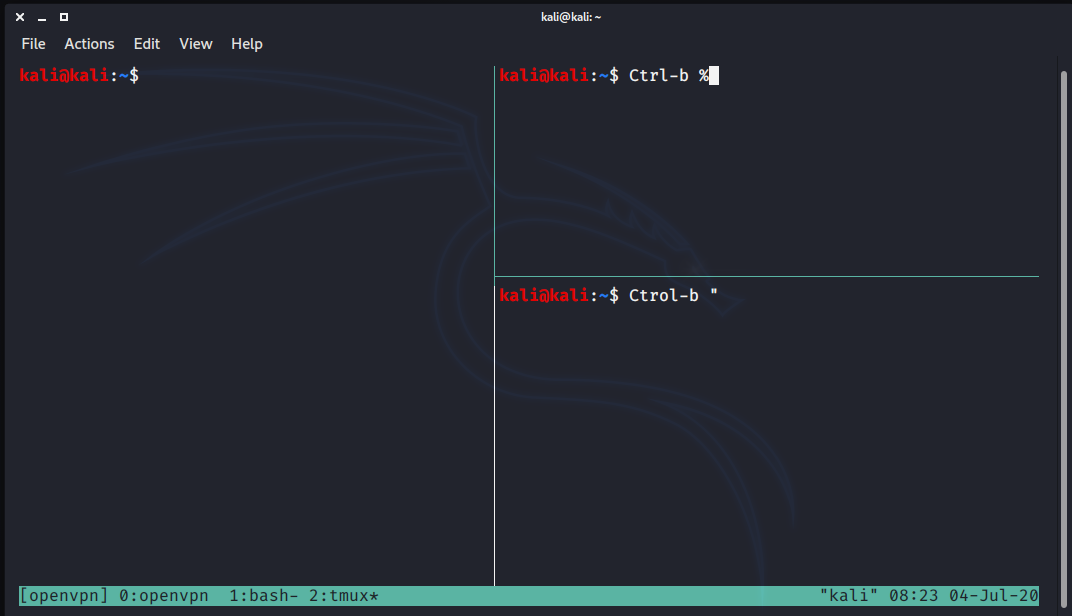
Panes
Panes are like tiles in a window:
| Command | Description |
|---|---|
| % | Split vertically |
| " | Split horizontally |
| arrow keys | Move between panes with the arrow keys |
| z | Toggle zoom |
Commands
For running tmuxcommand you can use:
Ctrl+b :
Saving the session
A very useful feature is the possibility to save the tmux session. You can do it this way:
prefix + : + capture-pane -S -2000prefix + : save-buffer filename.txt